


As an Amazon Associate, Sumizeit earns from qualifying purchases.
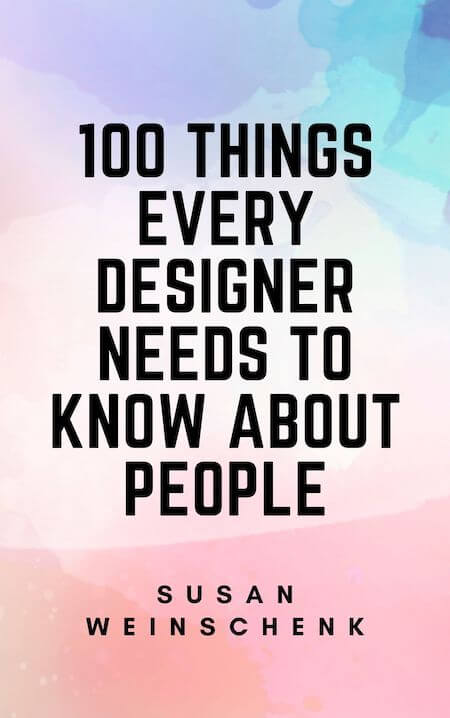
100 Things Every Designer Needs to Know About People Book Summary
This 100 Things Every Designer Needs to Know About People Book Summary covers the key ideas, lessons, and takeaways in about 20 minutes.
Helps with these goals
Want the complete 20-minute summary?
- Full structured summary
- Video Summary
- Podcast Summary
- Audio summary
- Key takeaways
- Exercises
- Quiz
- Highlights and notes
- Ask the book with AI
What is in the 100 Things Every Designer Needs to Know About People book summary?
Below is a preview of Sumizeit’s expert-written summary of 100 Things Every Designer Needs to Know About People by Susan Weinschenk. The full summary covers the book’s key ideas in text, audio, and video.
What makes certain designs memorable? Why are some designs helpful or enjoyable while others feel like a chore to engage with? Weinschenk’s compilation of behavioral studies sheds light on how our brains interpret the world around us and form positive experiences. In learning these mechanisms, designers can understand how to build designs that attract, influence, and better serve their audiences.
People see with both their central and peripheral vision and find patterns in everything.
When you enter a new room, you look around before deciding whether you like the place or not. Maybe you notice the chairs or the paint color on the wall. Weinschenk explains that this process of vision isn’t just about seeing with our eyes but interpreting this visual information in our brains. In fact, when deciding on whether we like what’s in front of us, our vision contributes the most of all the senses.
The most familiar type of vision is called “central vision”, or what we clearly focus on when gathering details about a scene: the chairs, the paint color. But people also see with their “peripheral vision”, or the blurry edges of the visual field. This is how we notice when people are passing us, or to turn our heads when we see a rustle in the bushes. Peripheral vision evolved as a way to help people process their environment faster. Evolutionarily, we wanted any movement from predators in our surroundings.
Advertisers know this, which is why a lot of banner ads appear on the top and sides of websites. In spotting something moving at the edge of a page, our eyes are drawn in that direction.
Designers should understand that both of these types of seeing the need to be taken into account when designing a product. For example, when designing a web page, the key information should be in the center, making it easier for the central vision to interpret this information without distraction. Similarly, avoiding visual clutter from the periphery will also avoid distraction. This could involve removing advertisements from a website or any blinking buttons.
When looking at things in front of them, people also tend to pick out patterns. This is because the brain sorts visual information into categories it already understands. Weinschenk advises that designers use clear patterns to make this sorting process easier for the brain. These patterns could include groupings or simple 2D geometric drawings.
Everyone is forgetful. To help people remember, break information down into groups of four.
When studying for a test, you’ve likely found yourself at the bottom of a page of a textbook before realizing that you can’t quite recall what you just read. This is a normal function of the brain known as “limited short-term memory”, meaning the brain can only remember a limited amount of information after encountering it. In general, people only remember about 40% of the information they take in through their senses.
Given our tendency to forget, designers should understand that they cannot expect their audience to…
Want the complete 20-minute summary?
- Full structured summary
- Video Summary
- Podcast Summary
- Audio summary
- Key takeaways
- Exercises
- Quiz
- Highlights and notes
- Ask the book with AI
Who should read 100 Things Every Designer Needs to Know About People?
This book is essential for UX/UI designers, product managers, and anyone creating digital or physical experiences. Whether you're building websites, apps, or interfaces, understanding how people actually perceive and interact with design will make your work significantly more effective.
Why does 100 Things Every Designer Needs to Know About People matter?
In today's competitive digital landscape, designs that work with human psychology rather than against it create better user experiences and drive engagement. By grounding design decisions in behavioral science, creators can avoid common pitfalls and build products that naturally align with how our brains work.
What are the key themes in 100 Things Every Designer Needs to Know About People?
- Visual perception and pattern recognition
- Memory limitations and information chunking
- Motivation through feedback and dopamine
- Social behavior and empathy in design
- Attention spans and flow states
- Unconscious decision-making
- Choice architecture and simplification
- Narrative and storytelling in design
What are the key lessons from the 100 Things Every Designer Needs to Know About People book summary?
Central and Peripheral Vision Matter Equally
Designers must account for both focused central vision and the blurry peripheral vision that detects movement. Strategic placement of key information in the center and awareness of edge distractions significantly impact how users experience your design.
Break Information Into Groups of Three or Four
Human short-term memory can only retain limited chunks of information at once. Organizing content into manageable groups of 3-4 items dramatically improves retention and comprehension.
Stories Stick Better Than Facts
Narratives with a clear beginning, middle, and end make information more digestible and memorable than raw data. Incorporating storytelling into your design helps users understand and retain key concepts.
Mirror Neurons Drive Social Connection
People unconsciously imitate behaviors and mirror social cues through mirror neuron activation. Designing interactions that feel socially responsive and including images of people performing actions triggers this neurological response.
Achievable Goals Release Dopamine
Progress toward clearly defined goals triggers dopamine release, motivating continued engagement. Design feedback systems that show users they're advancing toward meaningful milestones.
Variable Rewards Are More Addictive Than Guaranteed Ones
Uncertain outcomes feel more rewarding than guaranteed results, which is why unpredictable feedback systems (like social media likes) are so compelling. Use this principle thoughtfully to maintain ethical engagement.
Attention Spans Last Only 11 Seconds
Human attention naturally wanders 30-70% of the time, requiring designers to present information in bite-sized chunks and use movement to re-engage users quickly.
Flow State Requires Challenge and Focus
Users enter a 'flow state' of total concentration when facing a near but challenging goal with minimal distractions. Design experiences that eliminate interruptions and provide appropriately difficult tasks to encourage this state.
Most Decisions Happen Subconsciously
People make choices long before consciously recognizing them, often rationalizing decisions after the fact. Understanding what influences unconscious choice allows designers to guide users toward better decisions.
Too Many Choices Paralyze Users
While people say they want more options, excessive choice causes decision paralysis and random selection. Offering a curated, limited set of specialized options creates satisfaction without overwhelming users.
Patterns Help Brains Process Information
The brain naturally sorts visual information into familiar categories, so clear patterns—groupings, geometric shapes, consistent layouts—make processing easier and faster.
Repetition Improves Memory Retention
Encountering information multiple times throughout a design increases the likelihood users will remember it. Strategic repetition of key messages reinforces learning without feeling redundant.
Visual Clutter Competes for Attention
Advertisements, blinking elements, and visual chaos in peripheral vision distract from core content. Minimizing unnecessary visual elements keeps focus on what matters.
Concise Titles Prime User Expectations
Clear, descriptive titles prepare users for what they'll encounter next, making information processing smoother. Well-written headings act as mental anchors that improve comprehension.
People Respond to Empathetic Design
Users expect technology to follow basic social rules—responding promptly, politely, and attentively. Designing with empathy and emotional intelligence creates more satisfying interactions.
Proximity and Grouping Reduce Cognitive Load
Organizing related elements together helps the brain process them as units rather than individual items. This principle significantly reduces the mental effort required to understand a design.
Progress Indicators Sustain Motivation
Showing users how far they've come and how close they are to a goal increases motivation to continue. Visible progress bars, completion percentages, and achievement milestones drive engagement.
Movement Captures Peripheral Attention
Evolutionary instinct makes us notice movement in our peripheral vision, which is why animated elements and hyperlinks naturally draw eyes. Use motion intentionally to guide rather than distract.
Familiar Designs Are Preferred Designs
Users process designs containing familiar patterns and structures faster and with less frustration. Building on established conventions reduces the learning curve.
Real Images of People Beat Generic Visuals
Photographs and videos of actual people performing actions trigger mirror neurons more effectively than illustrations or text. Authentic human imagery makes instructions and demonstrations more intuitive.
Want the complete 20-minute summary?
- Full structured summary
- Video Summary
- Podcast Summary
- Audio summary
- Key takeaways
- Exercises
- Quiz
- Highlights and notes
- Ask the book with AI
How can you apply ideas from 100 Things Every Designer Needs to Know About People?
- Place critical information and calls-to-action in the center of the screen or page, reserving peripheral space for secondary content
- Organize navigation menus, feature lists, and product options into groups of 3-4 items to improve comprehension and decision-making
- Rewrite instructional content as mini-narratives with a clear beginning, middle, and end to increase memorability
- Implement progress tracking systems with visible milestones and achievement rewards to maintain user motivation throughout their journey
- Use real photos or videos of people using your product to help users understand expected behaviors through mirror neuron activation
- Curate and limit choices in menus, product selections, and options rather than overwhelming users with exhaustive lists
- Minimize animations, notifications, and banner ads that distract from core content and disrupt flow states
What common mistakes do readers make with 100 Things Every Designer Needs to Know About People?
- Cramming too much information on a single screen, overwhelming the limited short-term memory and forcing users to forget what they just learned
- Offering excessive options that paralyze users and lead to random or abandoned selections instead of confident choices
- Using generic placeholder images or illustrations instead of authentic photos of real people performing desired actions
- Placing critical information in peripheral areas where it competes with decorative elements for user attention
Sumizeit Exercises Apply what you've learned
Turn ideas from 100 Things Every Designer Needs to Know About People into action with a short guided reflection: identify the biggest takeaway, connect it to your life, and commit to one step you can take in the next 24 hours.
What is the expert analysis of 100 Things Every Designer Needs to Know About People?
Overview
100 Things Every Designer Needs to Know About People is authored by Dr. Susan Weinschenk, a distinguished behavioral psychologist renowned for her expertise in human-centered design and user experience. As CEO of The Team W, Inc. and founder of the Weinschenk Institute, she bridges the gap between psychological science and practical design applications. This book stands as a significant contribution to the field by distilling complex behavioral research into actionable insights for designers, marketers, and product developers. Its interdisciplinary approach, grounded in psychology yet tailored for design professionals, makes it a vital resource for those seeking to create intuitive, engaging, and effective user experiences.
Core Thesis
Weinschenk’s central argument is that understanding fundamental psychological principles about how humans perceive, process, and respond to information is essential for effective design. By aligning design strategies with innate cognitive and emotional mechanisms—such as vision processing, memory limitations, motivation through goal-setting, social cognition, and subconscious decision-making—designers can create products that naturally attract attention, foster engagement, and influence behavior. The book posits that design is not merely aesthetic but deeply intertwined with human psychology, and that leveraging this knowledge leads to more meaningful and impactful user interactions.
Strengths
- Integration of Behavioral Science and Design: Weinschenk excels at translating empirical psychological findings into practical design guidelines, making complex theories accessible without sacrificing rigor.
- Comprehensive Coverage: The book addresses a wide spectrum of cognitive and social phenomena—from vision and memory to motivation and social norms—providing a holistic framework for designers.
- Actionable Advice: Each insight is paired with clear, applicable recommendations, such as chunking information into groups of three or four, or using narrative structures to enhance retention.
- Use of Everyday Examples: The inclusion of relatable scenarios, like phone number formatting or Starbucks rewards, grounds abstract concepts in real-world contexts, enhancing reader comprehension.
- Emphasis on Subconscious Processes: Highlighting how much decision-making occurs beneath conscious awareness encourages designers to thoughtfully shape user environments beyond surface-level choices.
Critiques & Counterarguments
- Potential Oversimplification: While the book’s digestible format is a strength, it occasionally risks flattening nuanced psychological phenomena into overly prescriptive rules, which may not hold universally across diverse user populations or contexts.
- Evidence Scope and Currency: Some examples rely on established but dated studies, and the book might benefit from integrating more recent neuroscientific or behavioral economics research that complicates or refines earlier models.
- Limited Discussion of Cultural Variability: The principles largely reflect Western cognitive norms; cross-cultural differences in perception, memory, and social behavior warrant deeper exploration to avoid ethnocentric biases in design recommendations.
- Competing Perspectives on Choice Overload: The book suggests limiting options to prevent decision paralysis, but some research in behavioral economics indicates that under certain conditions, more choices can enhance satisfaction and autonomy, challenging a one-size-fits-all approach.
- Flow State Application Nuances: While promoting flow is valuable, the complexity of inducing such states in digital interfaces may be underestimated, as real-world distractions and individual differences in attention regulation complicate design implementation.
Who Should Read This
This book is ideal for designers, UX professionals, product managers, and marketers who seek to ground their creative decisions in psychological science. It is especially valuable for those who appreciate interdisciplinary approaches and want to deepen their understanding of user behavior beyond surface aesthetics. Additionally, behavioral scientists and psychologists interested in applied design contexts will find Weinschenk’s synthesis insightful. However, readers looking for exhaustive academic treatments or culturally diverse perspectives may need to supplement this text with more specialized literature.
Frequently asked questions about the 100 Things Every Designer Needs to Know About People book summary
What is 100 Things Every Designer Needs to Know About People about?
100 Things Every Designer Needs to Know About People by Susan Weinschenk is a guide that explains how human psychology, perception, and behavior influence design effectiveness. The book distills behavioral science research into practical insights that help designers create products and interfaces that work with natural human tendencies rather than against them, covering topics from visual perception and memory to motivation and decision-making.
Who should read 100 Things Every Designer Needs to Know About People?
UX/UI designers, product managers, web developers, marketers, and anyone creating digital experiences should read this book. Even non-designers who influence how products are built will benefit from understanding the psychological principles that drive user engagement and satisfaction.
What are the main takeaways from 100 Things Every Designer Needs to Know About People?
The main takeaways include: understanding how vision and memory work to structure information appropriately, using storytelling to make content stick, leveraging social and motivational principles through feedback systems, and recognizing that most decisions happen unconsciously. Designers should create experiences that align with how brains naturally process information, make choices, and stay engaged.
How does Susan Weinschenk explain memory limitations in design?
Weinschenk explains that human short-term memory is limited, with people remembering only about 40% of information they encounter. To combat this, designers should break information into groups of 3-4 items, use clear titles, minimize clutter, and repeat key information—making it easier for users to process and retain important content.
What is flow state and how should designers encourage it?
Flow state is a condition of total concentration where users become so engaged they lose track of time. Designers encourage this by creating near but challenging goals, minimizing distractions, and removing unnecessary elements—allowing users to fully focus on the task at hand.
Why do variable rewards work better than guaranteed ones in design?
Uncertain outcomes trigger stronger dopamine responses than guaranteed rewards, making unpredictable feedback systems more motivating and engaging. While this principle is powerful, designers should use it ethically to avoid creating compulsive or unhealthy usage patterns.
How does understanding peripheral vision change design decisions?
Peripheral vision detects movement and alerts us to threats, so designers can use this knowledge strategically. Placing critical information centrally ensures clarity, while being mindful of animations and ads in peripheral areas prevents unwanted distraction from core content.
About Sumizeit
Sumizeit is a profitable Scomy LLC company based in Miami, Florida. It has been helping readers learn from nonfiction books for 7 years with expert-written summaries in text, audio, podcast, and video.
Want the complete 20-minute summary?
- Full structured summary
- Video Summary
- Podcast Summary
- Audio summary
- Key takeaways
- Exercises
- Quiz
- Highlights and notes
- Ask the book with AI
Here's why readers love Sumizeit
Join thousands of learners getting smarter every day
"Great experience. Detailed summaries. Loved the gamification feature. Makes learning fun. Good customer service. I recommend Sumizeit to anyone. You'll learn a lot."
"I always felt busy but still wanting to keep up with the book discussion in my friend group. This was a great supplement to help me keep reading the books I find fun while keeping up with important books."
"I love this website. Instead of scrolling social media, I find myself learning a lot. I use it everyday. I recommend this app for anyone who is too busy and wants to get up to speed with their favorite books."
100 Things Every Designer Needs to Know About People Book Summary PDF
Looking for a 100 Things Every Designer Needs to Know About People Book Summary PDF you can save and revisit offline? Our 100 Things Every Designer Needs to Know About People Book Summary PDF captures the book’s core ideas in a clean, printable format — the key frameworks, takeaways, and structure without the fluff. Download the 100 Things Every Designer Needs to Know About People Book Summary PDF when you want a reference you can annotate, share with your team, or review on the go. Get your 100 Things Every Designer Needs to Know About People Book Summary PDF from the download page below.
Download 100 Things Every Designer Needs to Know About People Book Summary PDFPeople also liked these summaries
Readers who explored 100 Things Every Designer Needs to Know About People often enjoyed these titles next.


Want the complete 20-minute summary?
- Full structured summary
- Video Summary
- Podcast Summary
- Audio summary
- Key takeaways
- Exercises
- Quiz
- Highlights and notes
- Ask the book with AI
Featured Book Titles
Popular Book Summaries at sumizeit, leading book summary app